

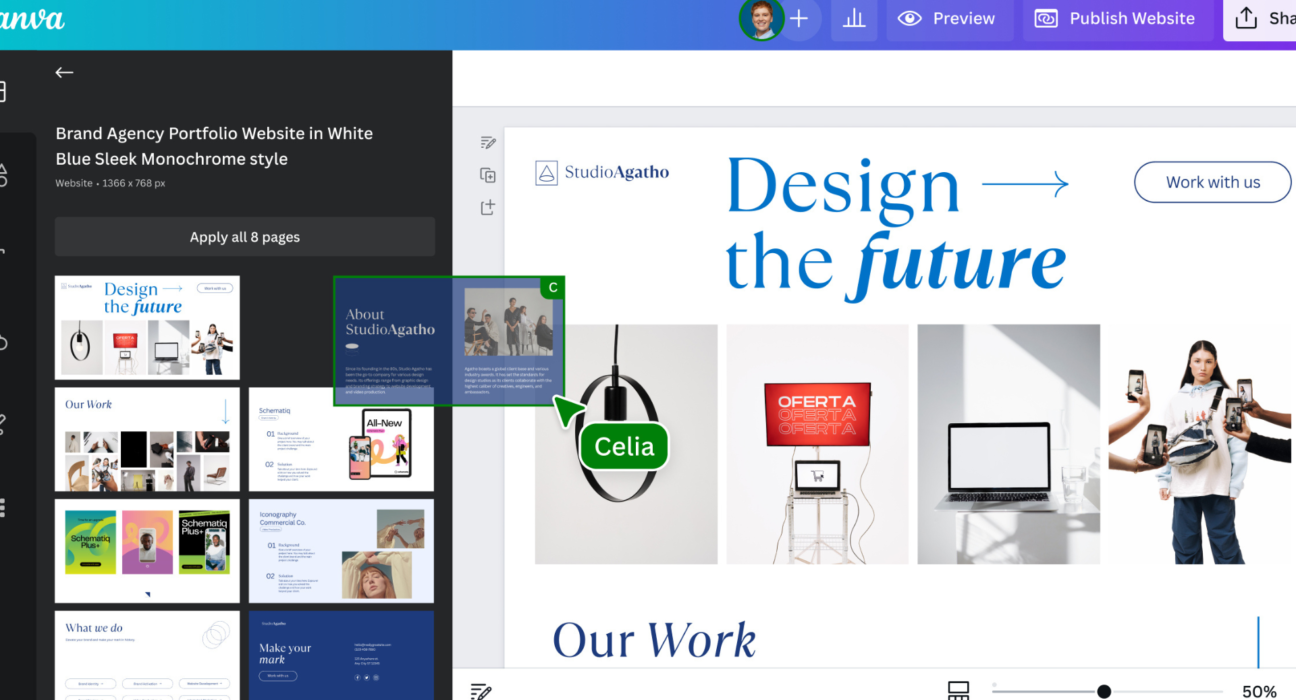
in a world driven by visual content — from social media posts to presentations, posters, videos, and branding — Canva.com is one of the most versatile design platforms available today. Whether you’re a beginner or a pro, Canva lets you create stunning visuals with ease, without needing advanced design skills.
From business cards to YouTube thumbnails, from pitch decks to Instagram Reels, Canva helps you design anything — fast, intuitive, and often with AI-assisted tools.
🧠 What Is Canva?
Canva.com is an online graphic design platform that empowers users to create professional-quality visual content using:
- 📌 Pre-built templates
- ✍️ Text tools
- 🎨 Graphics and icons
- 📷 Photo editing
- 🎥 Video creation
- 🤖 AI design assistants
Canva’s mission is simple: make design accessible to everyone. You don’t need advanced skills, costly software, or deep experience — everything you need is right in your browser or app.
🚀 What You Can Design with Canva
Here’s just a snapshot of what Canva lets you create:
📱 Social Media Graphics
- Instagram posts & stories
- TikTok visuals
- LinkedIn banners
- Facebook ads
🧾 Branding Materials
- Logos
- Business cards
- Letterheads
- Brand kits
📊 Business Content
- Presentations
- Reports
- Infographics
- Slide decks
📹 Video & Animation
- Short videos
- Reels
- Animated posts
- Video ads
📚 Print & Publish
- Posters
- Flyers
- Brochures
- eBooks
Canva also supports collaboration, making it easy for teams to work together on visual projects.
🤖 Smart Features That Make Canva Stand Out
Canva combines ease of use with powerful tools — many of them AI-driven:
✨ AI Text to Image
Generate original visuals from prompts — great for unique graphics and creative concepts.
🖼 Background Remover
One click removes the background from photos — ideal for product shots and thumbnails.
🤖 Magic Design Suggestions
Canva’s AI suggests layouts, fonts, and color combinations based on your content.
🎤 AI-Powered Copy Tools
Generate catchy headlines, taglines, and captions within the editor.
🎬 Auto Video Editing
Use templates and smart cutting tools to create professional-looking videos fast.
🎨 Brand Kit
Upload your logos, fonts, and color codes once — Canva applies them automatically across your entire design.
📈 Why Canva Is Popular
Canva has become one of the go-to design tools for individuals and businesses because:
✔ It’s easy for beginners — no design degree needed
✔ Templates save time — pick one and customize
✔ Collaborative workspace — teams work together effortlessly
✔ Cloud-based access — work anywhere, on any device
✔ AI tools simplify creativity — no guesswork needed
Whether you’re posting on social media, pitching to clients, creating classroom materials, or launching a brand, Canva gives you the tools and inspiration to do it.
💡 Tips to Get the Most From Canva
✨ Start with a template that matches your goal
🎨 Use brand colors and fonts for consistency
📎 Group related elements for cleaner layouts
📹 Explore animation features for dynamic content
🗂 Organize designs into folders for workflow clarity
🏁 Final Thoughts
Canva.com is more than just a design tool — it’s a complete creative platform that helps anyone design anything — from eye-catching Instagram posts to full marketing campaigns and professional presentations.
Whether you’re a creator, business owner, teacher, student, or social media manager, Canva equips you with powerful tools that simplify design and amplify your creative impact.