

Grammarly is one of the most popular and powerful AI writing assistants in the world—used by millions to improve writing quality, clarity, tone, and impact. Originally a grammar and spell checker, Grammarly has evolved into a generative AI tool that helps users write better at every stage of the writing process.
✨ What Makes Grammarly AI Stand Out
📌 AI-Powered Writing Assistance
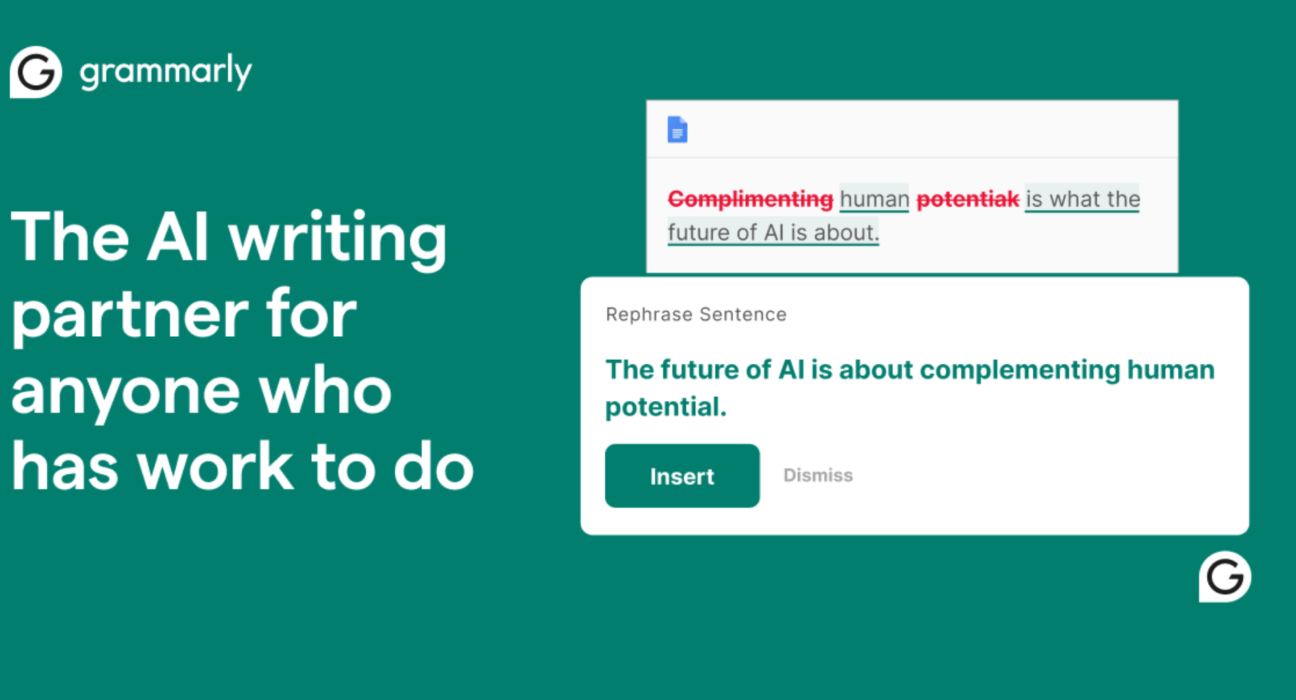
Grammarly uses artificial intelligence to analyze your text in real time, offering suggestions that go far beyond grammar and spelling. It can help improve clarity, tone, and readability while catching errors that other tools often miss.
📌 Generative AI Features (Write, Rewrite, Improve)
Grammarly’s generative AI tools let you:
- Generate drafts for emails, blogs, social posts, and more
- Rewrite or improve existing text for better flow
- Tailor your writing to a specific audience or tone (professionally friendly, formal, casual, etc.)
- Brainstorm ideas or outlines when you’re stuck
These features are available directly inside the Grammarly editor or browser extension.
📌 Smart Tone and Style Guidance
AI evaluates not just correctness but how your text will be perceived—suggesting changes to match the intent or tone you want to convey.
📌 AI “Humanizer” & Authorship Tools
Grammarly includes tools to humanize AI-generated text and even detect AI patterns, helping you make writing sound natural and authentic.
📌 Real-Time, Everywhere Writing Help
Works across:
- Web browsers (Chrome, Edge, Firefox, Safari)
- Desktop apps
- Mobile keyboards
- Google Docs & Microsoft Office
So AI suggestions appear wherever you write online.
🎯 Who Should Use Grammarly AI
✅ Content Creators & Bloggers – Draft posts and improve readability
✅ Students & Educators – Get help with essays, summaries, and tone
✅ Professionals – Polish emails, reports, proposals
✅ Teams & Businesses – Maintain brand tone and consistency with shared style guides (Pro plans)
📊 Pros & Cons
✔ Pros
- Excellent grammar and clarity suggestions
- Tone and style adjustments
- Generative AI creation (drafts, summaries)
- Works in nearly any writing environment
✖ Cons
- Best for improvement/editing rather than generating long-form content from scratch
- Some advanced AI features require a paid subscription
🧠 Grammarly in the AI Landscape
Grammarly is moving beyond being just a writing helper. It’s evolving into a broader AI communication platform—recent rebranding and integration with productivity tools (like Superhuman Go) aim to help users across many apps and workflows, not just writing.
📌 Quick Summary
- Category: AI writing assistant
- Strengths: Grammar correction, clarity, professional tone, AI-driven rewriting & ideas
- Best Use: Improve and enhance written content rather than fully create it
- Availability: Free tier + advanced paid features
Is Grammarly free?
Yes, it has a free plan
Is Grammarly better than Quillbot?
Grammarly is better for grammar checking