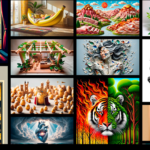



🚀 What Is Adobe Firefly?
Adobe Firefly is a generative AI tool that enables users to create images, text effects, generative fills, vector recoloring, and more using simple text prompts. It is deeply integrated into apps like Adobe Photoshop and Adobe Illustrator, allowing creators to generate and edit AI content directly within their design projects.
What makes Firefly unique is its focus on creative control and commercial usability. Adobe trained Firefly on licensed content and Adobe Stock assets, making it safer for professional use compared to many open AI image generators.
✨ Key Features of Adobe Firefly
1️⃣ Text-to-Image Generation
Turn simple prompts into high-quality images in seconds. Whether you need realistic photos, illustrations, or artistic concepts, Firefly delivers professional results.
2️⃣ Generative Fill
Integrated inside Photoshop, this feature allows you to add, remove, or modify objects using text prompts. You can expand backgrounds, replace elements, or enhance compositions effortlessly.
3️⃣ Text Effects
Create stunning typography effects by describing styles like “golden metallic letters” or “floral texture typography.” Perfect for branding, posters, and social media content.
4️⃣ Vector Recoloring
Inside Illustrator, Firefly lets you recolor vector artwork instantly by applying text-based color themes—saving hours of manual work.
💼 Why Adobe Firefly Is Ideal for Your AI Tool Site
If your audience includes designers, agencies, and marketers, Firefly offers strong value:
🔹 Commercial-Safe AI
Because it’s trained on licensed datasets, businesses can use generated images with more confidence in client projects.
🔹 Seamless Workflow
Unlike standalone AI tools, Firefly works inside existing Adobe apps. This eliminates file exporting and re-editing hassles.
🔹 Professional Quality
Firefly is optimized for high-resolution, production-ready visuals that meet industry standards.
🔹 Faster Content Production
Generate ad creatives, website banners, product mockups, and social media graphics within minutes.
🆚 Adobe Firefly vs Other AI Image Tools
While many AI tools focus purely on text-to-image generation, Firefly emphasizes design integration and brand control. It allows precise editing, consistent color themes, and professional-grade outputs inside familiar software environments.
For designers who already use Photoshop or Illustrator, Firefly becomes a natural extension of their workflow rather than a separate platform.
🎯 Practical Use Cases
Here’s how professionals are leveraging Adobe Firefly:
Digital marketers creating campaign visuals
E-commerce brands designing product promotions
Agencies producing client-ready mockups
Social media managers crafting engaging posts
Graphic designers enhancing creative workflows
Its versatility makes it suitable for both beginners and experienced creatives.
📈 SEO & Branding Benefits
For AI bloggers and website owners, Adobe Firefly offers:
Unique, custom visuals that improve originality
Higher engagement rates with creative AI graphics
Strong brand identity through consistent design themes
Reduced dependency on stock image libraries
Visual content plays a critical role in SEO, and Firefly helps you create optimized images tailored to your content strategy.
🔐 Ethical & Responsible AI
Adobe has prioritized transparency and ethical AI development. Firefly includes content credentials that identify AI-generated images, promoting trust and responsible usage.
For businesses and creators, this adds an extra layer of credibility.
🏁 Final Verdict
Adobe Firefly is more than an AI image generator—it’s a professional creative assistant built for modern design workflows. With commercial-safe training data, seamless integration into Adobe apps, and advanced editing features, it stands out as one of the best generative AI tools available today.
If your AI tool site aims to showcase powerful, practical, and business-ready solutions, Adobe Firefly deserves a top spot.