


🔗 What Is Zapier?
Zapier is a powerful no-code automation platform that lets you connect apps, tools, and AI systems together through automated workflows—called Zaps. Instead of switching between apps manually, Zapier triggers actions automatically based on events you define.
Think of it like an intelligent conductor for your digital tools: when this happens, do that—without any coding or manual intervention.
🚀 Why Zapier Still Matters in 2026
As the digital tool stack grows exponentially, Zapier’s value has only increased. Today’s workflows are more complex, involving everything from email and project management to AI assistants, CRM systems, and content tools. Zapier brings them together with:
- Seamless App Connectivity
Hundreds of app integrations—ranging from Slack and Notion to Salesforce, Google Workspace, and OpenAI-based tools.
- AI-Driven Enhancements
Zapier now supports AI actions natively, meaning your workflows can include intelligent text analysis, content generation, language translation, smart tagging, and more.
- No-Code Simplicity
Anyone can build powerful automations with a visual builder—no programming skills required.
🧠 Key Features in 2026
🔄 Automated Workflows (“Zaps”)
Every automation begins with a trigger (an event in one app) and ends with an action (task in another). Some examples:
New lead in CRM → Send welcome email
Form submission → Add to spreadsheet + notify Slack
New blog post → Auto-share to social channels
Video transcript → Send to AI summarizer
With conditional logic, branching actions, and multiple steps, Zapier workflows handle even complex scenarios.
🧩 App Integrations
Zapier supports thousands of apps across categories like:
Communication (Slack, Teams)
Productivity (Notion, Trello, Asana)
Email & CRM (Gmail, HubSpot)
eCommerce (Shopify, WooCommerce)
AI tools (OpenAI, Claude, AI content platforms)
This breadth of connections makes it possible to automate almost anything.
🤖 AI Workflow Actions
In 2026, Zapier’s integration with AI takes automation to another level. You can now trigger actions like:
Summarize long text or transcripts
Generate content drafts
Classify and tag inputs
Auto-translate messages
Generate insights from data
This lets you build automations like:
Podcast → Transcribe → AI Summary → Publish Notes → Share
Fully automated, no manual steps.
💡 Conditional Logic & Paths
Zapier’s “Paths” feature lets workflows branch based on conditions—like:
If task priority is high → notify manager
If lead value > threshold → create task + send message
If sentiment is negative → flag for review
This gives decision-making power to your automations.
📊 Workflow Analytics & Monitoring
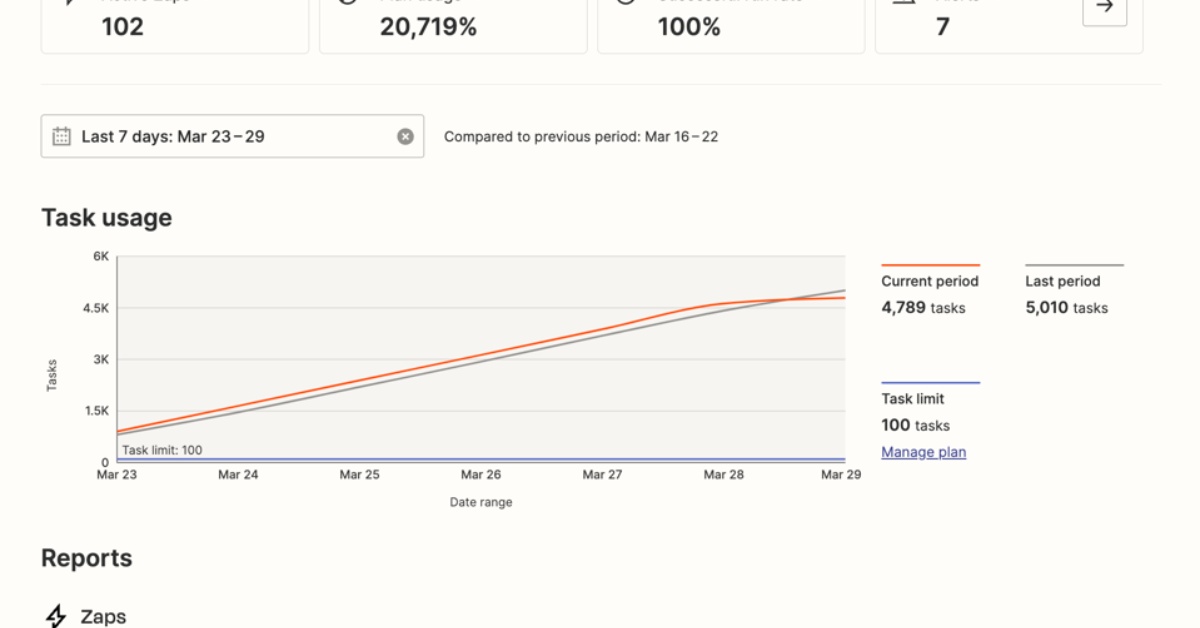
Zapier provides dashboards that show:
Workflow performance
Action counts
Errors and bottlenecks
History logs
This transparency makes it easier to optimize automation flows over time.
🔥 Real-World Use Cases
💼 Small Businesses
Auto-create invoices from form entries
Sync customer data across apps
Trigger SMS notifications for new orders
📈 Marketing & Sales
Score and route leads
Automate follow-ups
Sync CRM → email campaigns → analytics
👨💻 Content & Social Teams
Auto-generate captions
Post content across platforms
Trigger AI summarization
📊 Operations & HR
Employee onboarding workflows
Notify teams about new hires
Sync HR systems with project tools
📞 Support & Service
Convert support tickets into tasks
Notify on Slack or Teams
Auto-tag issues using AI classification
🤖 Zapier vs Other Automation Tools
Feature Zapier (2026) Typical Alternatives
App Integrations ⭐⭐⭐⭐⭐ ⭐⭐⭐⭐
AI Actions ⭐⭐⭐⭐⭐ ⭐⭐⭐
No-Code Simplicity ⭐⭐⭐⭐⭐ ⭐⭐⭐⭐
Workflow Flexibility ⭐⭐⭐⭐ ⭐⭐⭐
Analytics & Monitoring ⭐⭐⭐⭐ ⭐⭐⭐
Key takeaway: Zapier remains one of the most flexible and user-friendly automation platforms—especially for AI-enhanced workflows.
🙌 Pros & Cons
✅ Pros
Connects thousands of apps
Powerful workflow automation with branching logic
AI actions expand automation possibilities
No-code building for anyone
Helps teams save hours of manual work
❌ Cons
Complex automations can become hard to manage visually
High-volume automations may require paid plans
Initial setup may take time for non-technical users
💰 Pricing & Plans (2026)
Zapier offers tiered plans:
Free plan: Good for testing and basic automations
Starter & Professional plans: Enable multi-step automations and AI actions
Team & Enterprise: Advanced features, analytics, and collaboration tools
For teams and creators who rely on automation daily, the paid plans unlock significant productivity value.
🧠 Who Should Use Zapier in 2026?
Zapier is ideal for:
Small and medium businesses
Marketing and sales teams
Creators managing multi-app workflows
Operations and HR teams
Anyone who wants to automate repetitive tasks and connect apps intelligently
If your work involves data, messages, triggers, or tasks across tools, Zapier gives you a central brain to orchestrate it all.